That app you keep thinking about? You can start small. FirstShip
is your complete guided course for building a small first version
with an AI coding tool—a clear path, practical lessons, and
a little guidance.
A real path for
your own idea. Shown here: LeafLog, a sample plant-watering journal.
↳ Your idea, made achievable⌘ Build in Codex. Learn here.✓ Small steps you check
yourself
A COACH BESIDE YOU
You bring the “what if.” We help with the “what next.”
FirstShip is your learning space. Codex is where you build. A simple
loop keeps you moving between them with purpose.
ONE IDEA, A SMALLER FIRST VERSIONExample
THE BIG IDEA
“A complete app for taking care of all my plants.”
↓
YOUR FIRST FIVE DAYS
A little watering journal.
Add a plant, record when you watered it, and see your recent
entries.
For later Reminders · Plant identification · Shared
gardens
A suggested scope you can edit and approve. Your idea stays yours.
01
Find a finishable version.
Tell your coach what you want to build. Choose one audience,
one main task, and a clear way to know it works.
02
Take one good prompt to Codex.
Understand the next step, copy a prompt tailored to your
project, and build in your separate coding tool.
03
Come back. Try it. Learn.
Check the result yourself and note what happened. If you’re
stuck, turn the problem into a focused next step.
A RHYTHM, NOT A DEADLINE
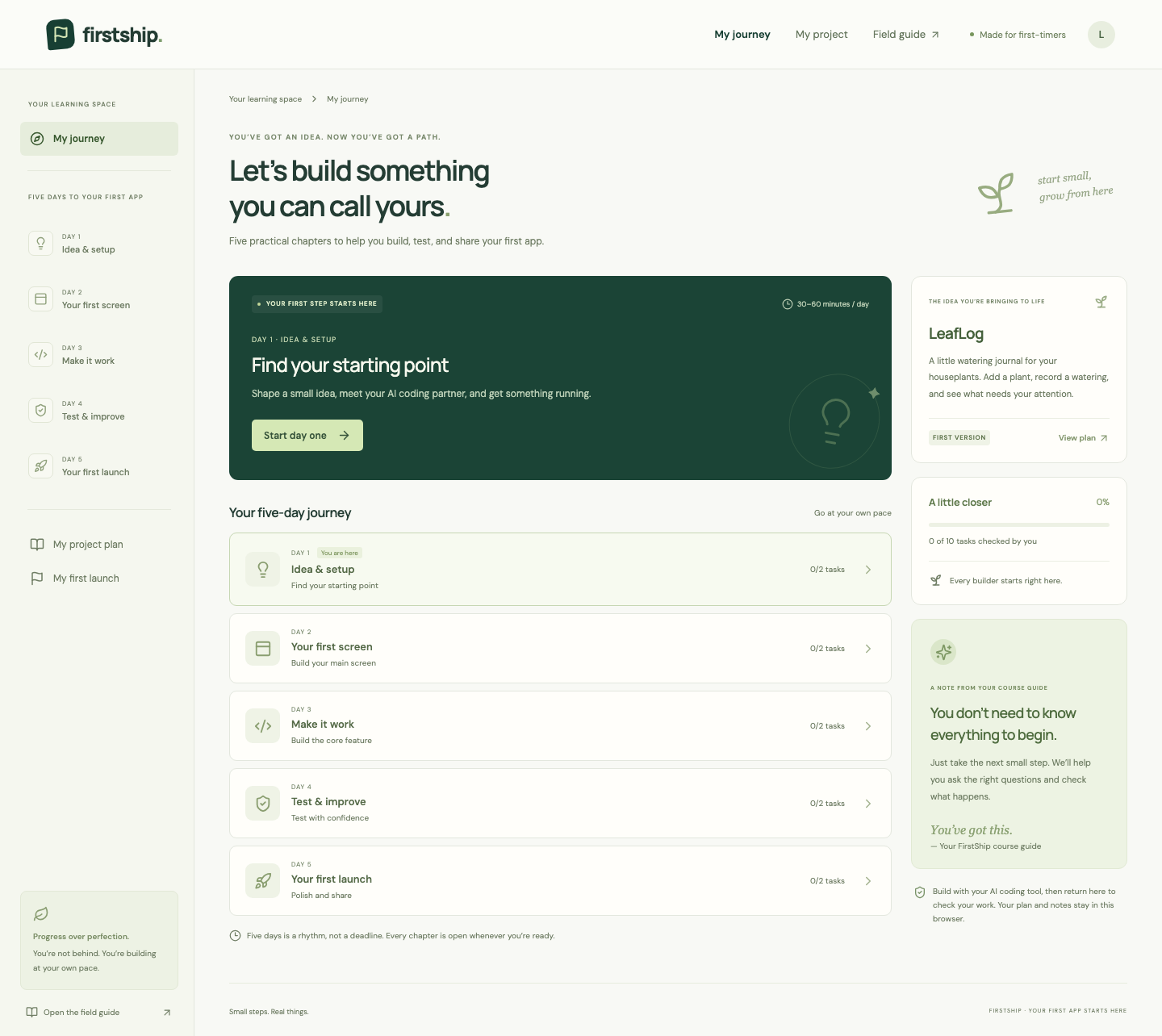
Five chapters. One app you can call yours.
Ten practical tasks, shaped around your project. Every day is
open from the start.
DAY 01✦
Find your starting point.
Shape your idea, meet your coding partner, and open your first
screen.
A small plan + a running app
DAY 02▤
Make it feel like yours.
Build the main screen and make one intentional change you
understand.
Your own screen
DAY 03↗
Bring your idea to life.
Make the main action work, then handle an empty or missing
input.
One useful workflow
DAY 04✓
Test, learn, improve.
Try real examples and practice describing and checking a focused
fix.
Evidence it works
DAY 05⚑
Share what you made.
Polish the first version, prepare a walkthrough, and reflect on
your progress.
Your first “I made this”
↳ Take five days, a weekend, or a
little longer. Your next step will be here.
LESS GUESSING. MORE MAKING.
A little structure. A lot more confidence.
Every task helps you understand what you’re asking for—and how to
tell whether it worked.
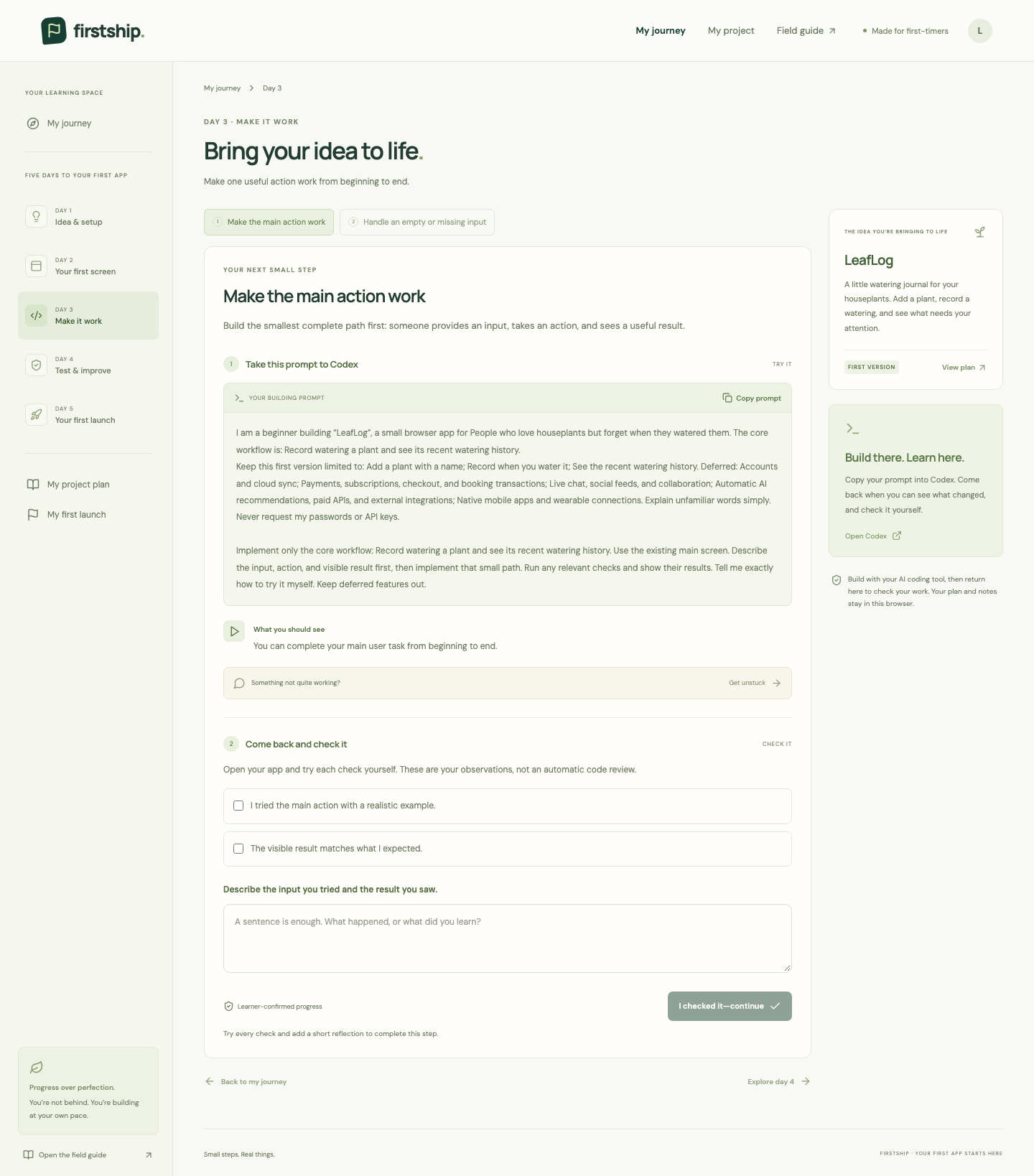
01 / YOUR NEXT SMALL STEP
Prompts with a purpose.
A short explanation, a project-specific prompt, and an expected
result. You learn how to ask clearly instead of copying words you
don’t understand.
✓
Finish with hands-on checks and a short reflection. Progress is
confirmed by you, not automatically graded.
The lesson workspace · Sample project: LeafLog
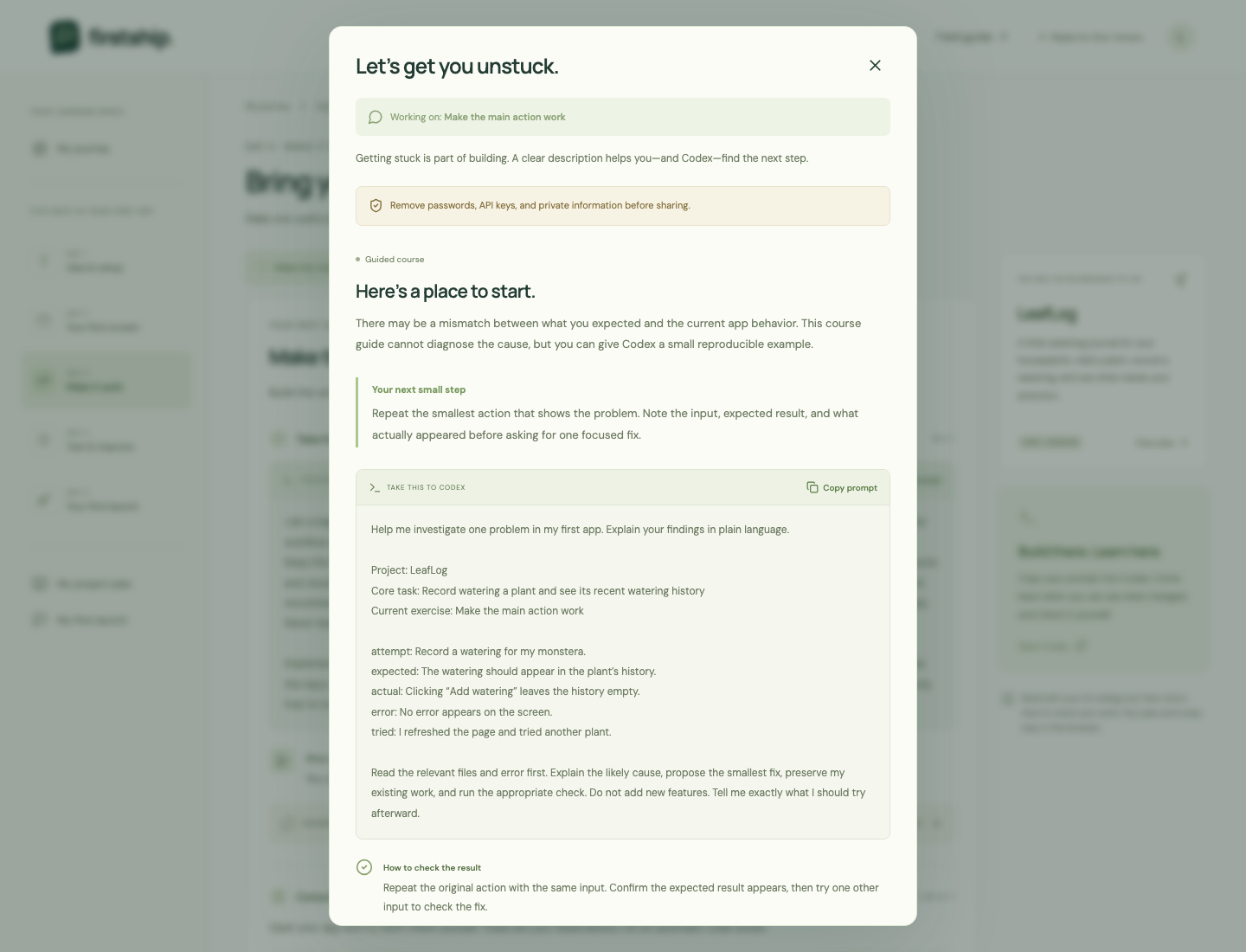
02 / WHEN SOMETHING GOES SIDEWAYS
Getting stuck is part of getting there.
Describe what you tried, what you expected, and what actually
happened. Your coach helps you take a clearer question back to
Codex.
↳
Get a suggested next step, a focused troubleshooting prompt, and
a way to check the result.
Your coach cannot inspect your local code or run your app. You
stay in charge of checking the advice.
A calmer way to get unstuck · Sample project: LeafLog
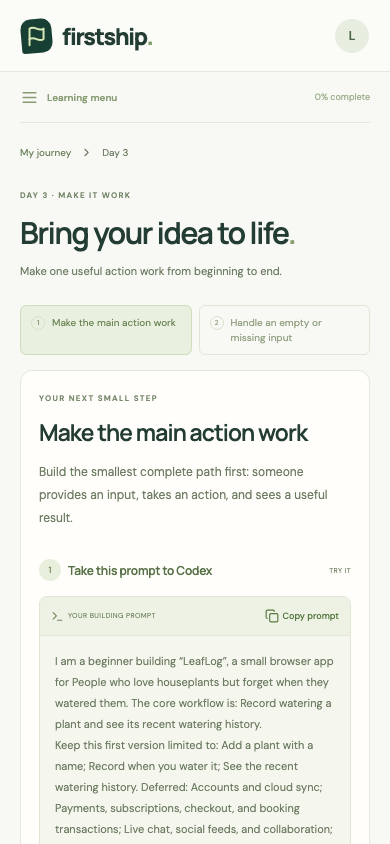
A LEARNING SPACE YOU CAN COME BACK TO
Your progress. Your own pace.
Pick up your journey on the same browser. Revisit a lesson, keep
your later ideas, or download a summary of your plan and
reflections.
✓ No account required
✓ All five days available
immediately
✓ A layout that works on a
narrow screen
Progress is stored in your browser. It does not sync between
devices. Download your summary to keep a separate copy.
A smaller screen, the same next step. Sample project: LeafLog
little by little, you’re building.
YOUR FIRST STEP IS A SMALL ONE
Make a little room for your idea.
Start your complete five-day course online. Bring your own idea,
make a small plan, and follow practical steps to build in your
AI coding tool. No installation or account needed.
FirstShip coaches you through the process. You build your app in a
separate AI coding tool, such as Codex, using prompts and checks
from your learning plan. FirstShip does not control Codex or edit
your project files.
Do I need coding experience?+
No. FirstShip is designed for people with little or no coding
experience, and the online learning space opens in your browser.
To build your own app, you will still need access to a separate
coding tool such as Codex and time to try the steps yourself.
Can I really use my own idea?+
Yes. Describe your idea and who it helps. FirstShip suggests a
smaller first version with one useful workflow, a definition of
done, and a list of features to save for later. You can edit the
plan before approving it.
Do I have to wait a day between lessons?+
No. All five days are available from the start. Five days is a
suggested learning rhythm, not a calendar lock or a guarantee that
every idea takes the same amount of time.
How does FirstShip guide me?+
Structured lessons turn your own idea into an editable plan,
then guide you through ten tasks with project-specific prompts,
expected results, and checklists. When you are stuck, an
error-report exercise helps you describe the problem and take a
focused prompt to Codex. AI coding happens in your separate tool;
FirstShip does not inspect your code or automatically grade it.
Where is my progress saved?+
Your plan, checks, and reflections stay in the browser you use.
There is no account or cross-device sync. Download a summary
to keep a separate copy. FirstShip’s planning and troubleshooting
guidance run in your browser without sending your course answers
to an AI provider. Remove secrets and private information before
sharing anything with an external coding tool or service.
✦
You don’t have to know everything. You just need a first step.